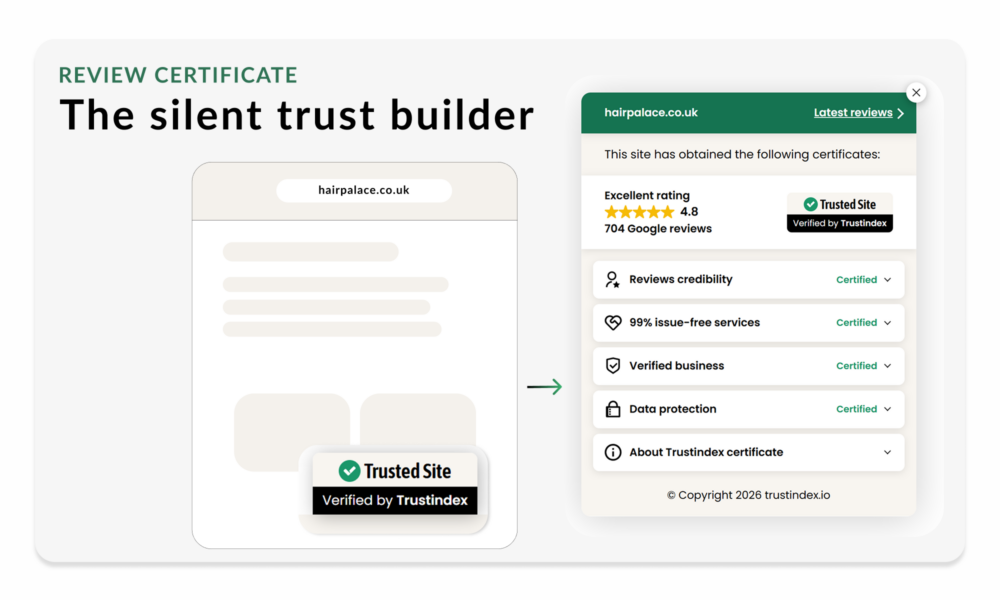
The Silent Trust Builder Behind More Conversions
Use the Review Certificate to keep verified trust visible across every page visit.
The Review Certificate widget collects 7× more views than any other layout and builds credibility on every page visit.
Adding more trust signals to your site doesn’t always build more trust.
But the right kind of signal, verified, transparent, always present, compounds quietly in the background. That’s what the Review Certificate does.
What happens to trust between pages?
Most visitors need more than one page before they decide. They compare, scroll, check your offer, look for proof and only then choose whether to contact you, book, or buy. The problem is that most trust signals appear only once, and often in the wrong place.
„ A review section buried lower on the homepage.”
„ A badge near the footer few visitors ever reach.”
„ A testimonial block that appears on one page only.”
If trust disappears while visitors are still deciding, hesitation grows. And beyond a certain point, stacking more badges and guarantees stops helping, visitors start wondering why the site is trying so hard.
It’s not about showing more proof. It’s about showing the right kind, once, clearly, everywhere.
What matters is not how many trust signals you show, but what kind of signal they are. A verified signal feels stronger because it is backed by external proof.
A self-declared badge can feel less convincing, or even create doubt. And the trust frame you establish shapes how visitors evaluate everything else on the page.
The top Review Certificate widgets accumulate over 57,000 views each. Passive impressions that cost nothing and required no action from the visitor.
Why the Review Certificate Works
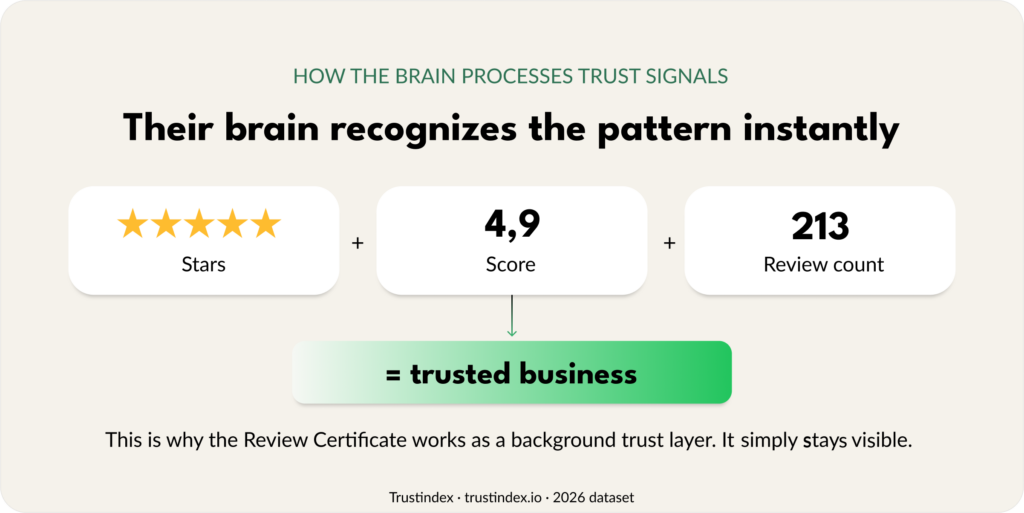
The brain does not read ratings. It recognizes them. When someone sees a score, a row of stars, and a review count, they do not need to consciously process every detail.
The Review Certificate works because it is:
- Persistent across the journey
Stays visible while visitors move from page to page, compounding with every visit. Say clearly what you do and who you help. - Processed visually
Stars, scores, and review counts are recognized as a pattern, not read as content. - Verified, not claimed
Ratings come from Google, Trustindex, and other external platforms, carrying the weight of third-party confirmation. - Transparent by design
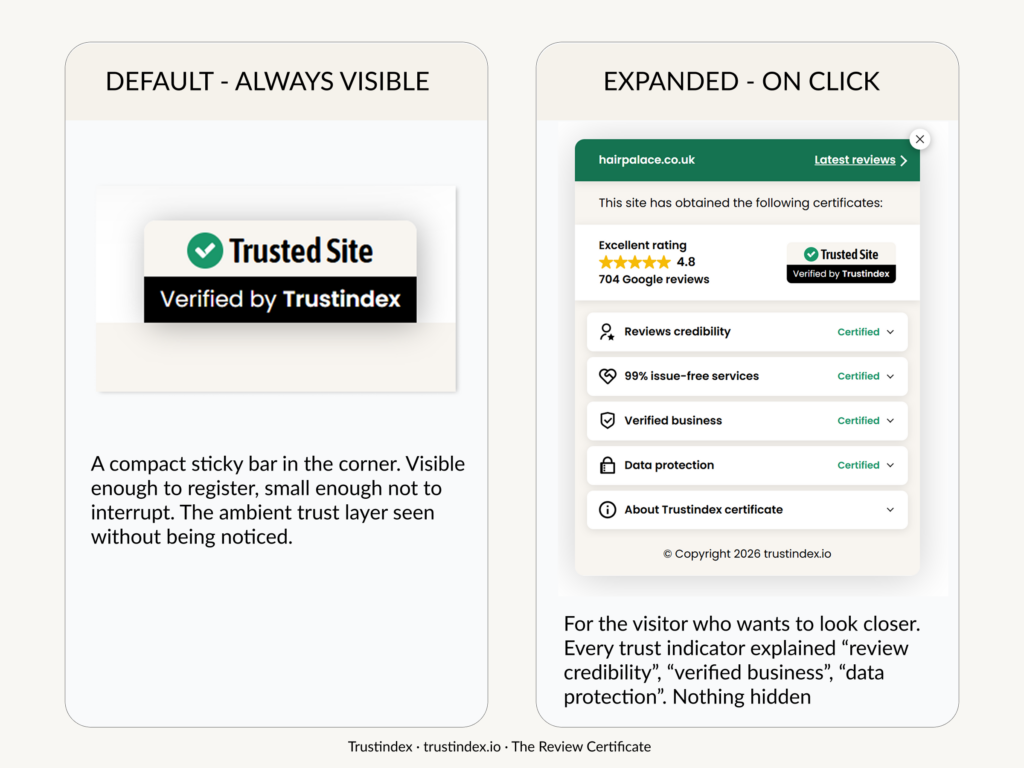
Visitors can open it to see what is behind the signal: nothing hidden, no opaque claims. - Mobile-friendly
A compact sticky element in the corner gives a trust signal without taking over the screen. - Non-intrusive
Supports trust without distracting from the page or competing with other elements.
Where To Place the Review Certificate Widget
Because visitors often visit several pages before they decide, the Review Certificate should stay visible across the main browsing journey. But not everywhere. At the final action stage, a sticky element can add friction instead of value.
So the rule is simple:
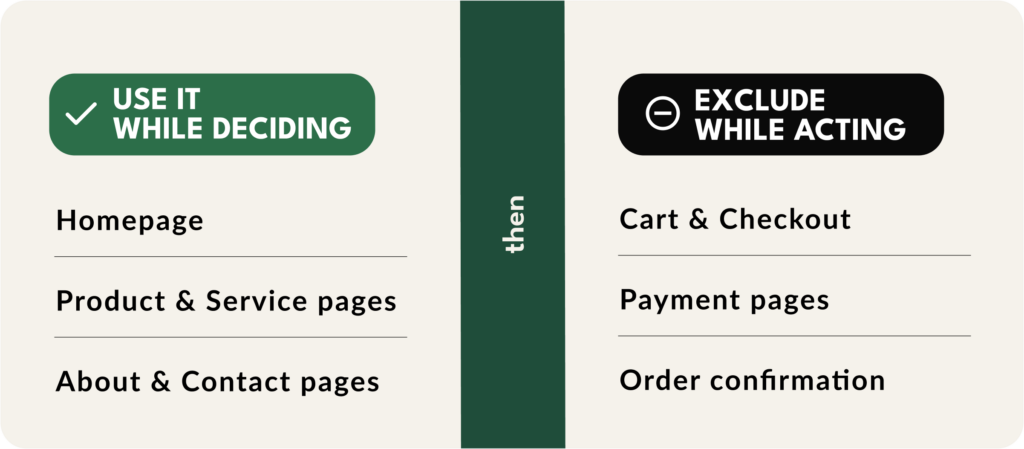
Present while visitors decide. Absent when they act.
Recommended placement
- Use it across your main browsing pages
- Keep it visible on homepage, product, service, about, and contact pages
- Place it in a bottom corner
Exclude from
- Exclude checkout, payment pages, order confirmation and contact form thank-you pages
- Exclude any page where a sticky element could distract from completing the action
The same logic at a glance: use the Review Certificate while shoppers are deciding,
remove it when they are buying.
Quick Setup Guide
Live in under 10 minutes, no developer is needed. Configured from the Trustindex admin panel, added to your site with a single snippet.
- Go to your Trustindex dashboard
Log in to your Trustindex account and open the Review Certificate Widgets section in the Widget Configurator. - Claim your free certification
If you meet the requirements (a rating of at least 4.5 and at least 30 reviews), click Get Your Free Certification. - Select the Review Certificate layout
Customise the company details and appearance, choose the alignment and confirm it doesn’t cover important buttons on mobile. - Exclude it from final action pages
Such as contact forms, thank-you pages, checkout, payment, and order confirmation
. Add those URLs to the exclusion list in the settings panel. - Add the snippet and publish
Click Save, then paste the code before the closing</head>tag in your header template file. Check the site on both desktop and mobile before going live.
Once it’s live, the Review Certificate works quietly on every visit, giving visitors a verified trust signal while they browse, compare, and decide.
Review Certificate Widget FAQ
Does it work as a conversion trigger?
Not directly. The Review Certificate works as a persistent credibility layer. It makes the rest of your page feel more trustworthy while visitors browse, compare, and decide.
How can I get the Review Certificate?
Your business needs a rating of at least 4.5 and at least 30 reviews. If you qualify but use the Free plan, the embedded certificate will be displayed for up to 1,000 views.
Can too many trust signals hurt?
Yes. When badges compete for attention, visitors can start questioning the site instead of feeling reassured. The Certificate works because it is one quiet, verified signal, not a stack of claims.
Why exclude it from checkout pages?
At checkout, the visitor has already decided to act. A fixed element at that stage can add visual noise without adding much value. The goal is to keep the final step as clear and friction-free as possible.
What makes it different from a regular review badge?
A regular review badge shows a score. The Review Certificate shows verified credibility in one expandable signal: review credibility, business verification, data protection, and other trust details. If someone wants to look closer, they can open it and see what is behind the number.
Is the Review Certificate customizable?
Yes. You can choose the certificate label that best fits your business and your visitors’ expectations. For example, a webshop might use “Trusted Shop”, a clinic might use “Trusted Clinic”, while a service business might choose “Excellent Service” or “Top Rated Provider”. This makes the trust signal feel more relevant than a generic badge.
Is this the same as a guarantee badge?
Not exactly. A guarantee badge, such as “30-Day Money-Back Guarantee”, reduces purchase risk by reassuring visitors about your policy. The Review Certificate works differently: it builds credibility through verified reviews, ratings, and trust details.
Both can support trust, but they solve different problems.