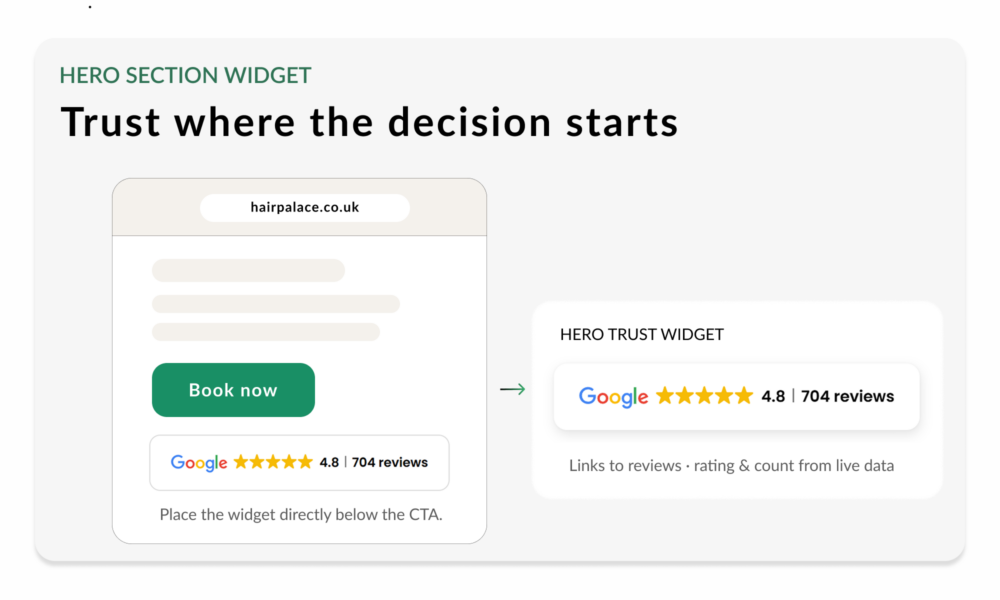
Build Trust Before Visitors Leave
Add Button VIII review widget to your Hero Section
Most visitors decide before they ever reach your reviews. That’s why this guide shows you where to place social proof, so visitors see it early, that builds trust fast, and turns more visits into clicks.
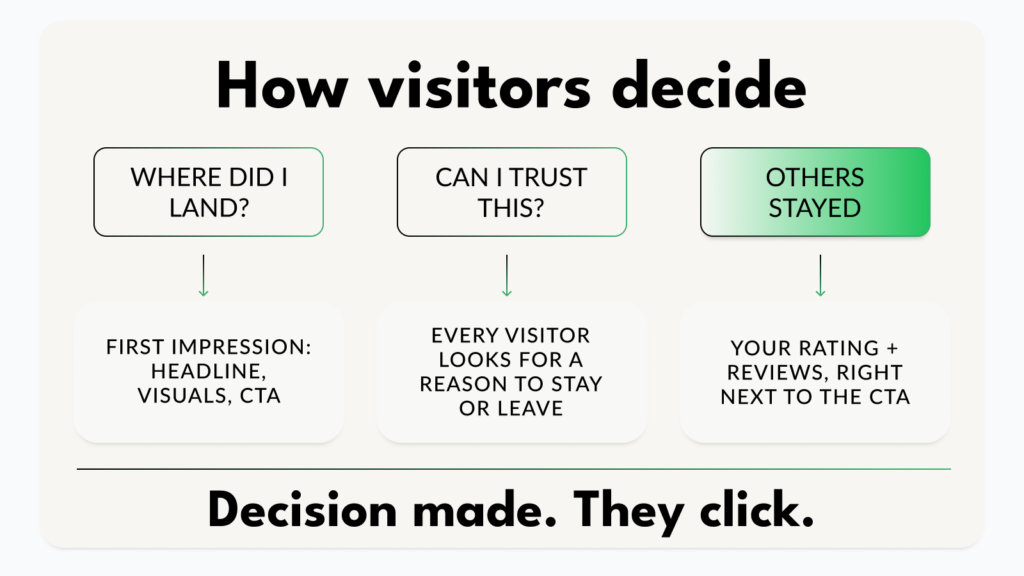
Trust is Decided in the First 10 Seconds
Here’s the reality: your visitor decides in 10 seconds whether your website feels trustworthy enough to stay.
That decision often happens before they read your full offer, compare your services, or scroll down to your reviews.
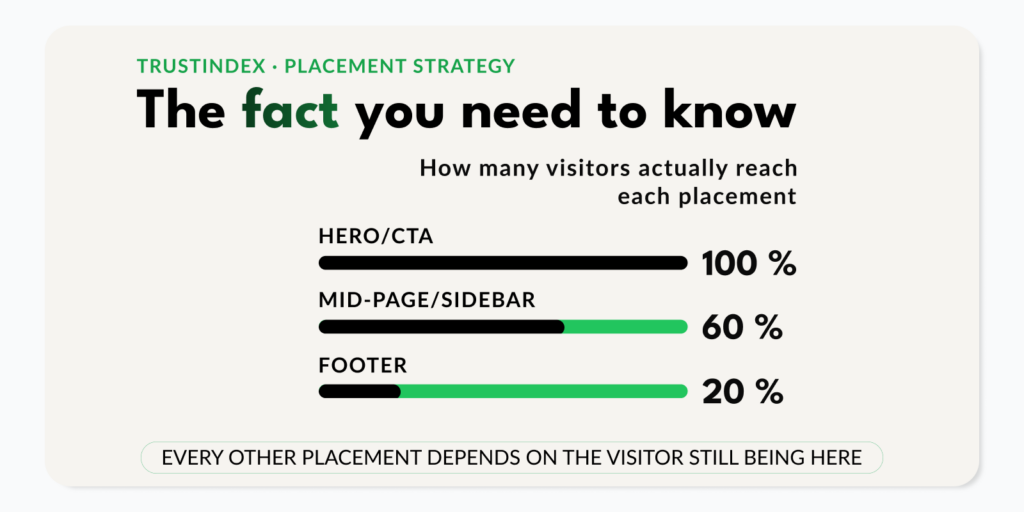
After all, every other placement depends on the visitor still being on your page. This one works first.
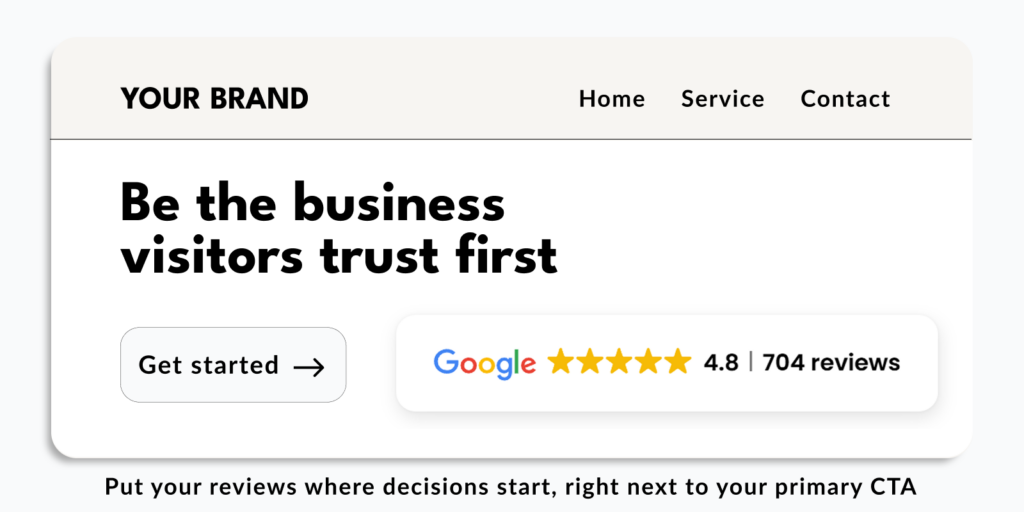
That’s why your first review widget should appear in the hero section, directly beside or beneath your main CTA. It puts trust where the decision starts.
Most Visitors Never Reach Your Reviews
Your reviews may be strong, but if they sit lower on the page, many visitors will never see them. By the time a visitor reaches them, they’ve often already decided.
The truth is, most people do not explore a website step by step. Instead, they scan the first screen and quickly decide whether to continue.
If your trust signals appear too late, they cannot support the most important moment: the first decision to stay, scroll, click, or leave.
Luckily, the Button VIII Hero trust widget helps solve this by showing your rating, review count, and review source immediately, before visitors need to search for proof.
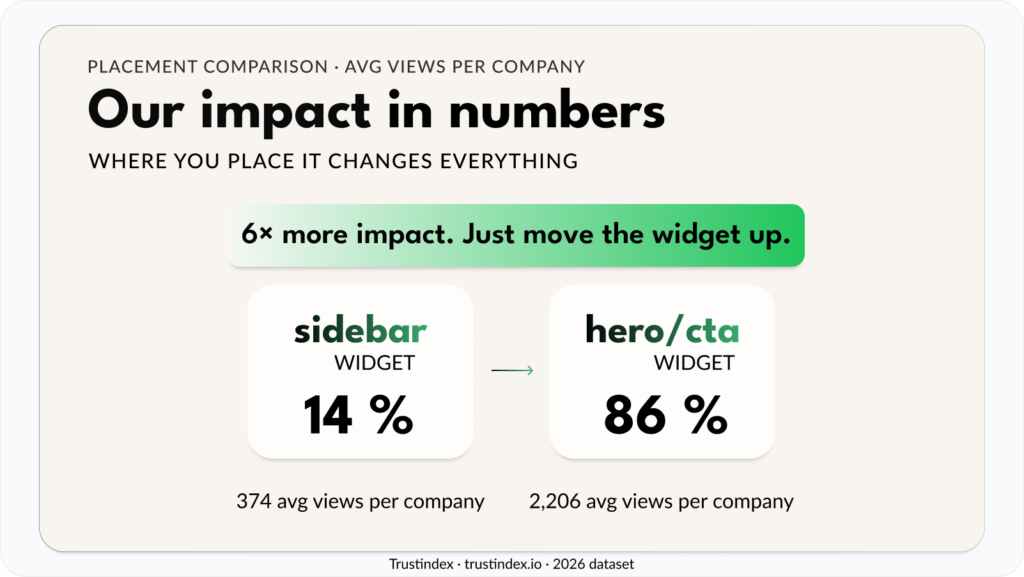
Bounce rate drops from 85% to 75%,
Companies using a trust widget in the Hero section vs. without one.
No scrolling required. No reading required. Just instant social proof next to your main action.
Why Button VIII Works Best in the Hero Section
Not every widget belongs in the hero section. The header and CTA area need something compact, immediate, and impossible to miss without competing with the button it sits beside.
That’s what Button VIII is built for. Visitors instantly see what others thought of you and where those reviews come from , all in a clean, contained format that fits naturally into tight header layouts.
It works because it:
- Shows your star rating instantly
- Displays your review count clearly
- Shows where your reviews come from
- Fits beside your CTA without competing with it
- Builds trust before visitors scroll
- Reduces hesitation before clicking
- Works on mobile with minimal space
It doesn’t ask for space it doesn’t have. The widget simply shows up where it matters and does its job.
Where To Place Button VIII Review Widget
Place Button VIII directly beside or beneath your primary CTA in the Hero section, on mobile, place it directly below the CTA for the same effect
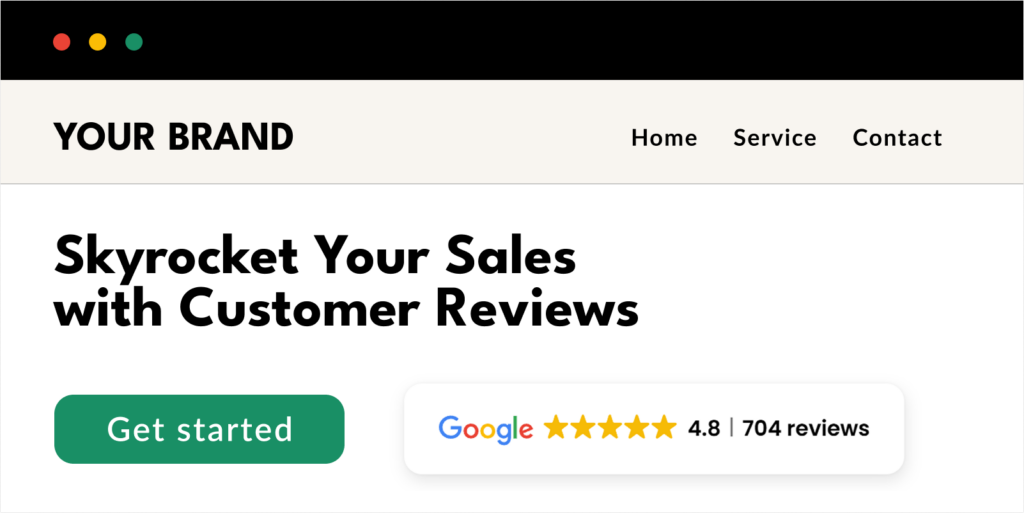
Best placements:
- Homepage Hero section
- Beside the main CTA button
- Below the CTA on mobile
- Above the fold
- Near booking, quote, demo, contact, or purchase buttons
The goal is simple: visitors should see your CTA and your trust signal at the same time. This makes the action feel safer, more credible, and easier to take.
Button VIII Review Widget Quick Setup Guide
Setting up Button VIII only takes a few minutes. Make sure your review sources are connected.
Link Google, Facebook, Booking, Airbnb, or any other platform. Trustindex aggregates automatically.
Most platforms (WordPress, Shopify, Wix, Squarespace ) allow you to place a widget in any section without touching code. If you’re unsure how to add it on your specific platform, the Trustindex installation guides cover each major CMS step by step.
Recommended setup:
- Use Button VIII as your first review widget placement
- Place it next to your primary CTA
- Keep it visible above the fold
- Make sure it appears clearly on mobile
Your reviews are already there. This is just making sure people actually see them.