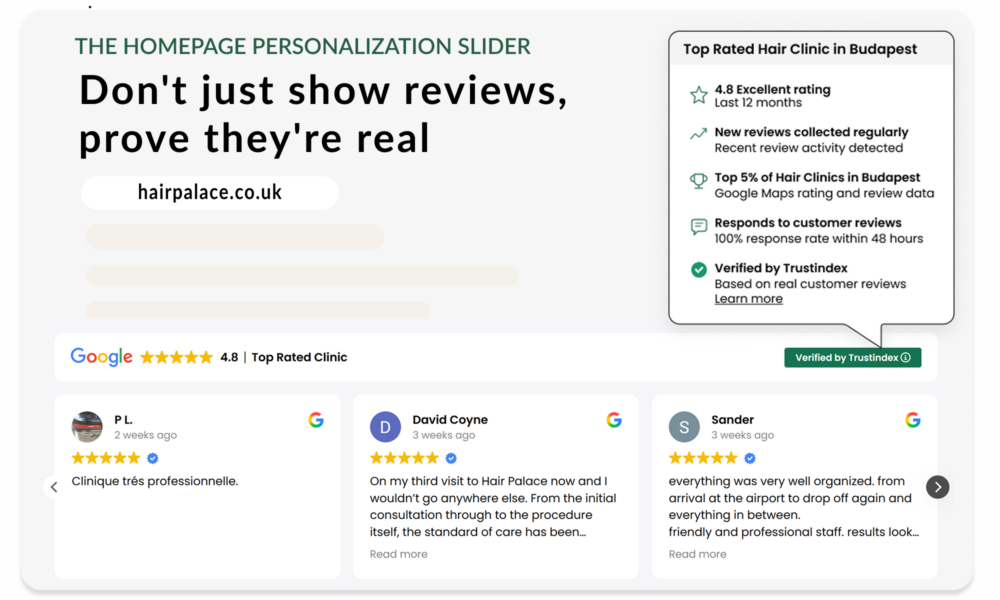
Turn your homepage into your best salesperson
The Homepage Personalization Slider puts real customer proof where visitors are still deciding. Helping more of them reach your call to action.
Relevant reviews, rating and trust signals keep visitors engaged for longer, build confidence, support SEO and AI visibility and help turn more visitors into customers.
The first few seconds can make or break the sale
Have you ever considered how many sales you could be losing before visitors even explore your offer?
People don’t buy from businesses they’re not sure they can trust. When that trust is missing, they leave.
The Homepage Personalization Slider builds trust with visible customer proof before doubt turns into a bounce.
Here are the four ways it builds that confidence:
First impressions become more opportunities to sell
Seeing 50, 100 or more reviews in the widget header immediately makes your business feel more established. When visitors see that others have already trusted you, they are more likely to stay and explore your offer.
Purchase decisions feel safer
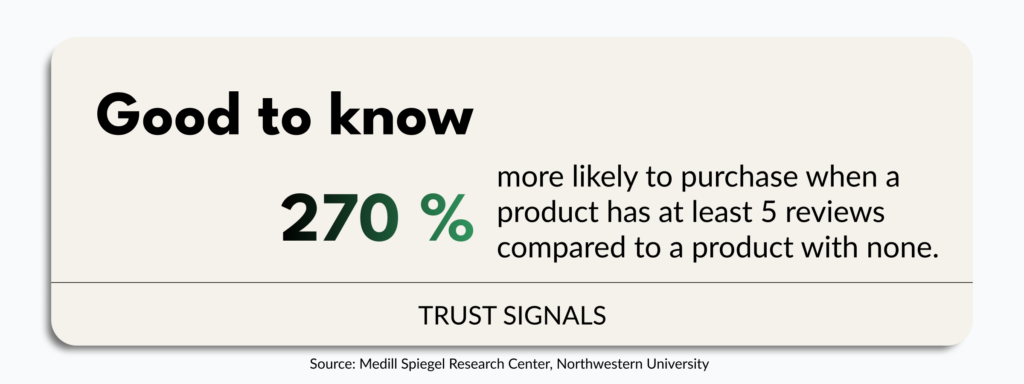
Visitors are more likely to trust reviews when they can see where they come from. Research suggests that identifying reviews from verified buyers can improve the odds of purchase by 15%.
It makes it easier for visitors to choose you
Personalized reviews in the homepage review slider help visitors find experiences that reflect their own needs. When the proof reflects what they are looking for, your offer feels more convincing.
Visitors have fewer reasons to look elsewhere
When customer proof is already visible on your homepage, visitors do not need to leave your site to search for reassurance. They can keep exploring your offer with fewer doubts.
The result: a stronger first impression, fewer early drop-offs, and more opportunities to turn visitors into customers.
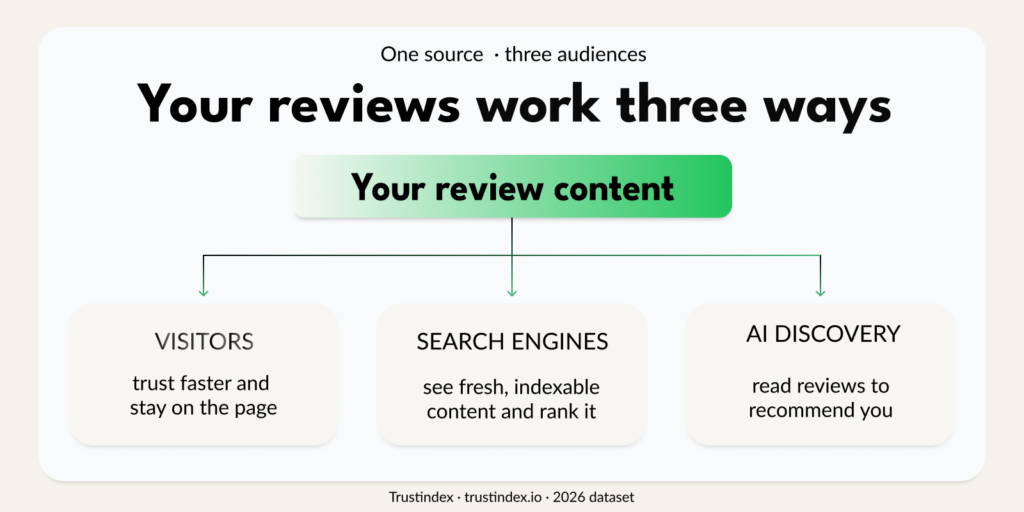
And because the homepage review slider adds relevant customer-written content to your homepage, its value can go beyond conversion.
Why the Homepage Personalization Slider Works
The slider isn’t a plain review feed. Each element is designed to remove a specific type of uncertainty, the kind that causes visitors to leave without acting.
One widget. Six trust signals.
Star rating + review count
Instant credibility. A rating with reviews tells visitors more in one second than three paragraphs of copy.
A personalized trust label
Labels like “Top Rated Hair Clinic” are specific, category-relevant proof that makes visitors feel they’re in the right place.
Verified credibility
The Verified by Trustindexpanel helps visitors understand where the reviews come from.
Customer-written content
Full review text adds depth, context and fresh, keyword-rich copy that supports both traditional SEO and AI search visibility.
AI generated highlights
Recurring themes such as “friendly staff,” “fast results,” and “easy booking” surfaced automatically. Scannable proof without reading every review.
Mobile-friendly layout
Fully responsive. Reviews stay clear and easy to scroll on every screen — critical when most homepage visits happen on mobile.
Together, these six signals answer the two questions that hold most visitors back: “Have others had a good experience?” and “Is this the right choice for me?” The slider makes those answers impossible to miss, scannable, credible, and visible before the visitor has a reason to leave.
They stay longer. They feel more confident. They are more likely to take action.
Where to Place your Homepage Review Slider
Timing on the page is everything. Therefore, show proof while attention is high, not after visitors have already started to disengage.
Add the Homepage Personalization Slider where visitors naturally pause and compare their options. It should appear after they understand your offer, but before they lose interest or reach the footer.
Recommended placements
- After the hero section
Placed right after the hero, where the visitor’s interest is high and the silent question surfaces. - After services or products
Use when visitors need to understand your offer first. Then, once they have explored your main services or products, the slider gives them a reason to choose you. - Before your main CTA or form
Use this when your homepage drives enquiries, bookings, or quotes. The slider reassures before the next step. Visitors who see social proof immediately before a form are significantly more likely to complete it. Therefore, place the slider as a final confidence boost before the action step.
Avoid
- Placing it too low on the page
Most visitors never reach the footer. Reviews placed there never convert. Move it up where the decision is actually happening. - A full review wall
The homepage review slider should support the page, not take it over. Keep the layout focused and easy to scan.
Quick Setup Guide for your Homepage Review Slider
Add the Homepage Personalization Slider in minutes. No complex setup needed. Configure the slider in the Trustindex admin dashboard, paste the code, publish.
Make sure your review sources are connected. Link Google, Facebook, Booking, Airbnb, or any other platform.
- Open the Trustindex dashboard
Go to your Widget Configurator and select Review Widgets. Click on Add. - Choose the Slider layout
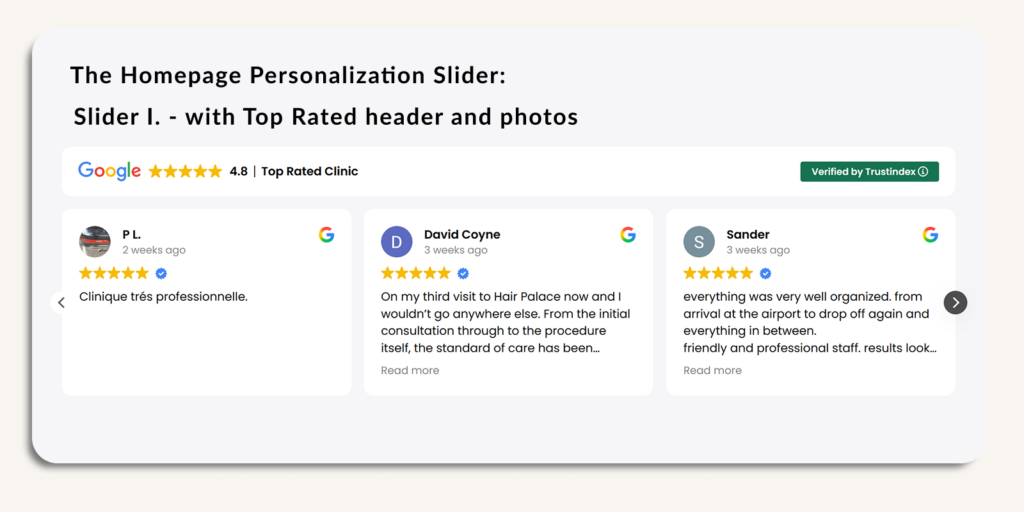
Select your Homepage Personalization Slider. Select Slider I. – with Top Rated header and photos. - Set your trust label + customize design
For example, use a label like “Top Rated Hair Clinic in Budapest”. Match colors and fonts to your site. - Copy and paste the embed code
Works with WordPress, Shopify, Wix, Squarespace and most website builders and CMS platforms. - Check desktop and mobile, then publish
Confirm that the rating, reviews, and highlights display clearly on smaller screens. Also, if SEO value is part of your goal, check that the review content is visible and indexable.
Show visitors why customers like them chose you, while they are still deciding.